
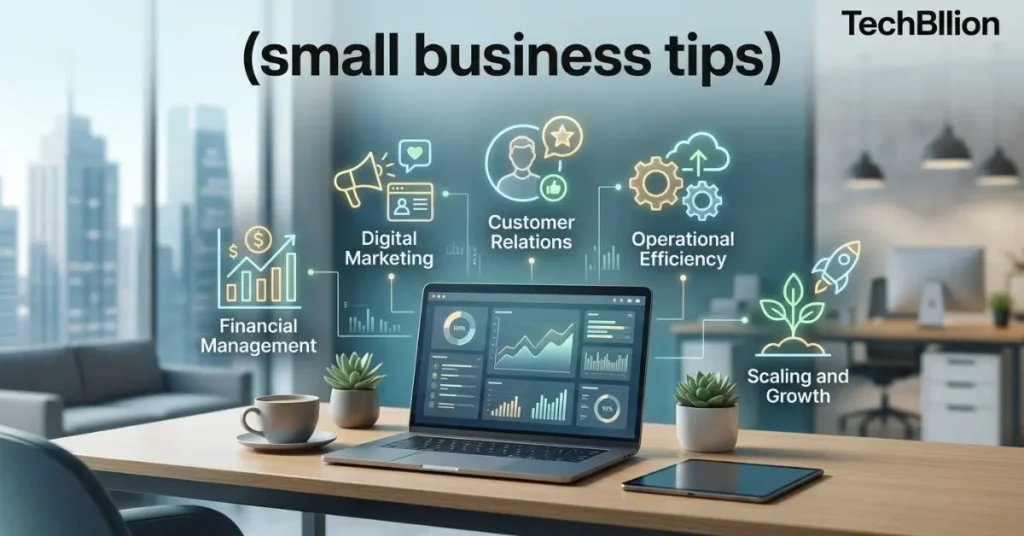

Small Business Tips
Running a small business is harder than it looks. You’re managing customers, chasing invoices, handling social media, and trying to grow all at the same time. Most advice online tells you to “work smarter, not harder” without actually showing you how.
That changes today.
This guide is built around one core idea: the right technology makes every part of running a small business easier, faster, and more profitable. Whether you’re just starting out or trying to scale what you’ve already built, these tips are practical, tested, and built for 2026.
What is a small business tip?
A small business tip is a focused piece of actionable advice designed to help business owners improve how they operate, market, or grow their company. The best tips are specific, realistic, and easy to apply not vague suggestions that sound good but lead nowhere.
Quick Summary
This article covers the most effective small business tips for 2026, with a strong focus on using technology to save time, reduce costs, and grow faster. From automation to customer tools, every point is practical and ready to use today.
Why Technology Is Now the Backbone of Small Business Success
A few years ago, technology was a competitive advantage for small businesses. Today, it’s a necessity.
According to the U.S. Small Business Administration, there are over 33 million small businesses in America. Most of them are fighting for the same customers, the same attention, and the same market share. What separates the ones that grow from the ones that struggle is usually not budget it’s how smart they work.
The good news? Most of the tools that were once only available to large companies are now affordable, and many are free to start. You don’t need a tech background to use them. You just need to know where to start.
Automate the Tasks That Eat Your Time
Time is the one resource you can never get back. Most small business owners spend hours every week on repetitive tasks sending follow-up emails, scheduling appointments, posting on social media, or processing invoices.
Automation tools handle all of this for you.
Tools to try:
- Zapier connects your apps and automates workflows without coding
- HoneyBook or Dubsado automate client onboarding and contracts
- Buffer or Later schedule your social media posts in advance
For example, a bakery in Austin, Texas, used automated appointment booking through Calendly and cut phone call time by 60% in the first month. That’s time they reinvested into actual baking and customer service.
Start with one task. Automate it. Then move to the next.
Build a Website That Works While You Sleep
If your business doesn’t have a website or has one that loads slowly and looks outdated you’re losing customers every day without knowing it.
Your website is your 24/7 salesperson. It answers questions, builds trust, captures leads, and closes sales even when you’re not working.
What a high-performing small business website needs:
- Fast loading speed (under 3 seconds)
- Mobile-friendly design (over 60% of searches happen on phones)
- Clear call to action on the homepage
- Contact form or booking option
- Basic SEO so people can find you on Google
Platforms like WordPress, Squarespace, and Wix make it possible to build a professional site without hiring a developer. If budget allows, hiring a freelance designer for a one-time setup is a worthwhile investment.
Your website isn’t just a digital business card. It’s your most important digital asset.
Use a CRM to Manage Customer Relationships
One of the most overlooked small business tips is this: stop managing customer information in spreadsheets or your memory.
A CRM (Customer Relationship Management) tool keeps all your customer data in one place contact details, purchase history, follow-up reminders, and notes from every conversation.
Recommended CRMs for small businesses:
- HubSpot CRM – free plan available, excellent for service businesses
- Zoho CRM – affordable and scalable
- Salesforce Starter – better for businesses with a sales team
When you know your customer’s history, you can personalize every interaction. That builds loyalty. Loyal customers spend more, refer others, and cost less to keep than new customers cost to acquire.
Take Your Marketing Digital With a Clear Strategy
Digital marketing is not about being everywhere. It’s about being in the right places with the right message.
For most small businesses, that means:
Email marketing – Still one of the highest-ROI channels available. Tools like Mailchimp or Klaviyo let you send newsletters, promotions, and automated sequences to your list. Even a list of 500 engaged subscribers can drive real revenue.
Local SEO – If you serve a specific area, claiming your Google Business Profile is non-negotiable. It’s free and directly impacts how often you show up in local searches like “coffee shop near me” or “plumber in Denver.”
Content marketing – Writing helpful blog posts or creating short videos builds trust and drives organic traffic over time. This is the foundation of long-term digital growth.
Don’t try to master everything at once. Pick one channel, execute it consistently, then expand.
Track Your Numbers Not Just Revenue
Revenue feels good to look at. But the numbers that actually tell you how healthy your business is go deeper.
You should be tracking:
- Profit margins (revenue minus all costs)
- Customer acquisition cost (CAC) – what it costs to get a new customer
- Customer lifetime value (CLV) – how much a customer is worth over time
- Monthly recurring revenue if you offer subscriptions or retainers
- Cash flow – because profitable businesses can still run out of cash
Tools like QuickBooks, FreshBooks, or Wave (free) make this easy to manage without an accountant. Many also connect directly to your bank account and payment processors.
Data-driven decisions beat gut feelings every time.
Prioritize Cybersecurity Even as a Small Business
Here’s a myth worth breaking: hackers only target big companies.
In reality, 43% of cyberattacks target small businesses, according to Verizon’s Data Breach Investigations Report. Small businesses are often easier targets because they have fewer security measures in place.
Basic steps every small business should take:
- Use a password manager like 1Password or Bitwarden
- Enable two-factor authentication on all business accounts
- Keep software and apps updated regularly
- Use a VPN if your team works remotely
- Back up your business data weekly to a cloud service
Cybersecurity isn’t about paranoia. It’s about protecting the business you’ve worked hard to build.
Invest in Your Team’s Digital Skills
Your tools are only as good as the people using them. One of the smartest small business tips for long-term growth is investing in your team’s ability to use technology effectively.
This doesn’t mean expensive training programs. Platforms like Coursera, LinkedIn Learning, and Google Digital Garage offer free or low-cost courses on digital marketing, data analysis, productivity tools, and more.
A team that’s digitally capable moves faster, makes fewer errors, and solves problems independently. That directly reduces your stress and your overhead.
Build a Strong Online Reputation
Before customers contact you, they check your reviews. This is true across almost every industry and age group.
Where to focus:
- Google Reviews – most important for local search
- Yelp – still relevant for restaurants, services, and home professionals
- Trustpilot or G2 – important if you sell software or professional services
The best way to get more reviews? Ask for them at the right moment. After a successful project, a positive conversation, or a completed purchase, send a simple follow-up message with a direct link to your review page.
Responding to reviews also matters. It shows future customers that you’re attentive and professional.
Helpful Comparison: Free vs. Paid Tools for Small Businesses
| Category | Free Option | Paid Option | Best For |
|---|---|---|---|
| Email Marketing | Mailchimp (Free) | Klaviyo | Growing email lists |
| CRM | HubSpot Free | Salesforce Starter | Managing clients |
| Accounting | Wave | QuickBooks | Tracking finances |
| Social Scheduling | Buffer Free | Hootsuite | Consistent posting |
| Cybersecurity | Bitwarden | 1Password Teams | Password management |
Conclusion
The gap between small businesses that grow and those that stall is usually not money it’s strategy and the smart use of available tools.
These small business tips aren’t theory. They’re practical steps that thousands of business owners are using right now to work more efficiently, serve customers better, and build something sustainable.
Pick two or three tips from this guide that you’re not currently doing. Apply them this month. Then come back and apply more.
Growth doesn’t happen all at once. It happens one smart decision at a time.
Frequently Asked Questions
What are the most important small business tips for beginners?
Start by building a simple website, claiming your Google Business Profile, and choosing one marketing channel to focus on. Don’t try to do everything at once. Beginners who focus on fundamentals clear branding, a functional website, and consistent communication build a stronger foundation than those who chase trends.
How can technology help a small business grow?
Technology helps small businesses save time through automation, reach more customers through digital marketing, and make better decisions through data tracking. Tools like CRMs, accounting software, and email platforms level the playing field between small businesses and larger competitors, often at a low or no cost.
What digital tools should every small business use?
At minimum, every small business should use a website builder, an email marketing tool, a CRM, basic accounting software, and a social media scheduling tool. These five categories cover communication, operations, marketing, and finance the core functions of any business. Most have affordable or free starting plans.
How much should a small business spend on technology?
There’s no fixed rule, but a reasonable starting point is 3–5% of monthly revenue on digital tools and technology. Many effective tools are free or under $50/month. Prioritize tools that directly save time or generate revenue. Avoid paying for features you won’t use in the next 90 days.
Is social media important for small businesses?
Yes, but consistency matters more than volume. Being active on one platform regularly is more effective than having profiles on five platforms that are rarely updated. Choose the platform where your target customers spend the most time Instagram for visual products, LinkedIn for B2B services, and Facebook for local community businesses.